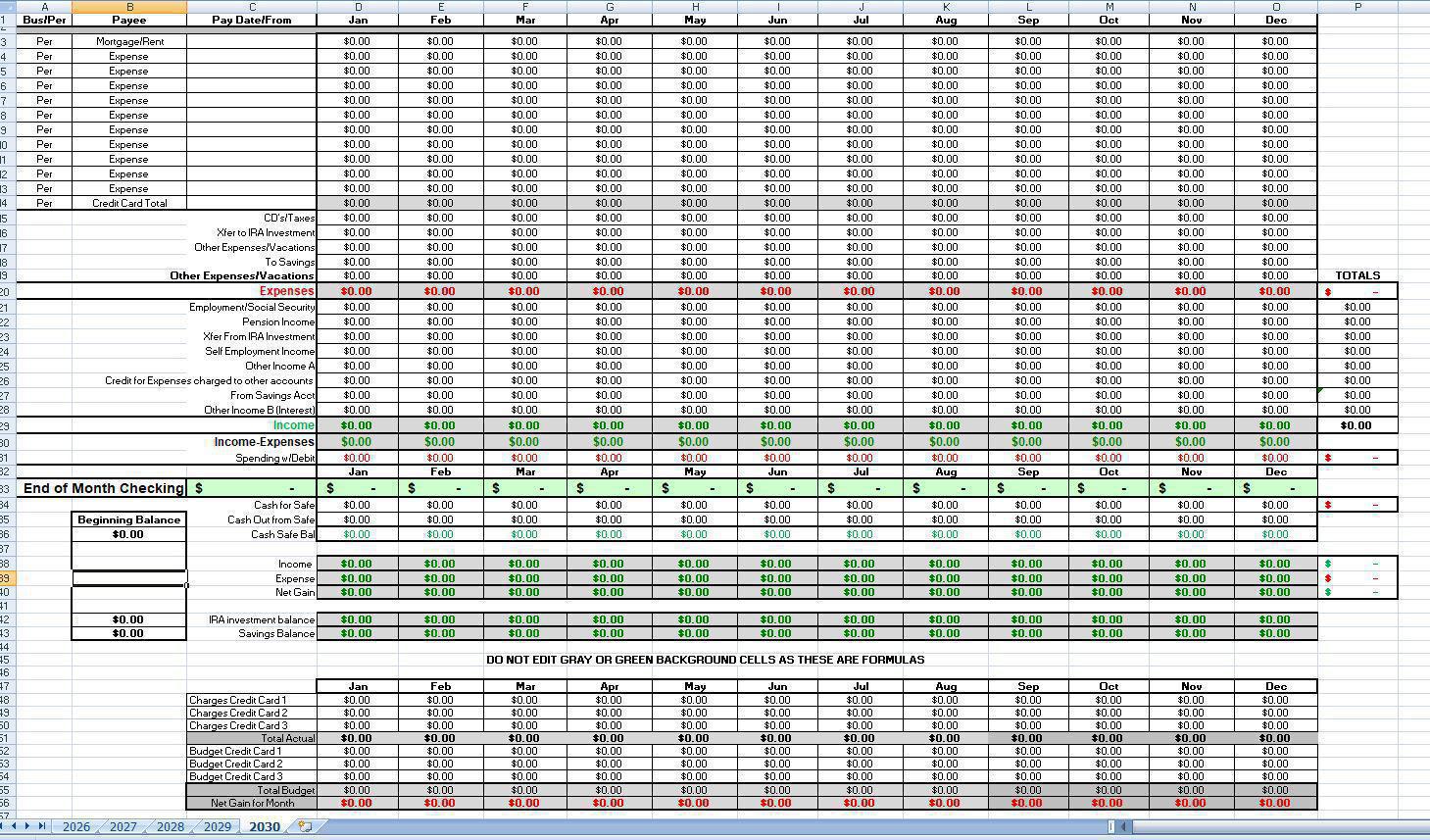
Here is a snapshot of the spreadsheet showing where to enter the expenses at the top for each month, then enter income with several options.
Then on Row 30 it will automatically tell you if you are above or belowl budget.
All colored background cells you do not enter anything as it automatically calculates your amount at the end of each month. There is then a simple
procedure to match that ending amount to your reconciled amount by adjusting the Misc. spending.
There is 2 types of misc. spending and that being with debit cards or cash, for example you may want to take out a few hundred dollars for cash
but also have a safe you want to put and keep in there. that is why cash out is for the safe but if you keep some for spending it is recorded as cash
out.
Note there is also budget vs actual for up to 3 credit cards.
Then on Row 30 it will automatically tell you if you are above or belowl budget.
All colored background cells you do not enter anything as it automatically calculates your amount at the end of each month. There is then a simple
procedure to match that ending amount to your reconciled amount by adjusting the Misc. spending.
There is 2 types of misc. spending and that being with debit cards or cash, for example you may want to take out a few hundred dollars for cash
but also have a safe you want to put and keep in there. that is why cash out is for the safe but if you keep some for spending it is recorded as cash
out.
Note there is also budget vs actual for up to 3 credit cards.